
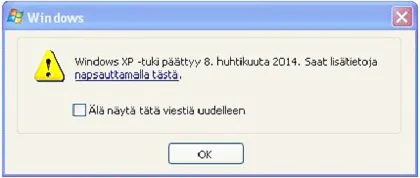
Microsoft ended support for Windows XP on April 8, 2014. While Windows XP remains one of the most memorable operating systems ever released, it is now part of computing history rather than a practical choice for everyday use.
Many people still remember XP for its stability, speed and long lifespan. Even today it can occasionally be found in older business systems, industrial equipment and hobby projects. The challenge is not whether XP still works — the challenge is that modern security threats have evolved while XP has remained unchanged.
What does end of support actually mean?
When Microsoft ends support for an operating system, it no longer receives security updates, bug fixes or technical support. Newly discovered vulnerabilities remain unpatched, making the system increasingly exposed over time.
For computers connected to the internet, this significantly increases the risk of malware infections, data theft and other security problems.
Windows XP is not the only unsupported Windows version
Over the years, several Windows versions have reached the end of their support lifecycle:
- Windows XP – support ended in 2014
- Windows Vista – support ended in 2017
- Windows 7 – support ended in 2020
- Windows 8 – support ended in 2016
- Windows 8.1 – support ended in 2023
- Windows 10 – support ends in October 2025
The same principle applies to every unsupported operating system: without security updates, the risks increase year after year.
Can an old computer be upgraded?
In many cases, older computers can be improved with upgrades such as SSD storage, additional memory or a newer operating system. Whether this makes financial sense depends on the age of the machine, its specifications and the intended use.
We often see older laptops that become noticeably more responsive after an SSD upgrade, while some very old systems are better replaced altogether. The right choice depends on the individual machine.
What should you do if you're still using Windows XP?
If the computer is still used regularly or connected to the internet, moving to a supported operating system is usually the safest option. If the machine is needed for a legacy application or specialised hardware, additional security precautions may be necessary.
If you're unsure whether an older computer is worth upgrading, we can help evaluate the available options and explain the practical pros and cons.
Still using an older Windows computer? Contact us and tell us the model. We can help determine whether an upgrade, repair or replacement is the most sensible solution.
Need help with this issue?
If an old Windows XP computer is still in use, we can help decide whether upgrade, replacement or data transfer makes sense.